Comparision of performance with incorporated super-sampling and without.
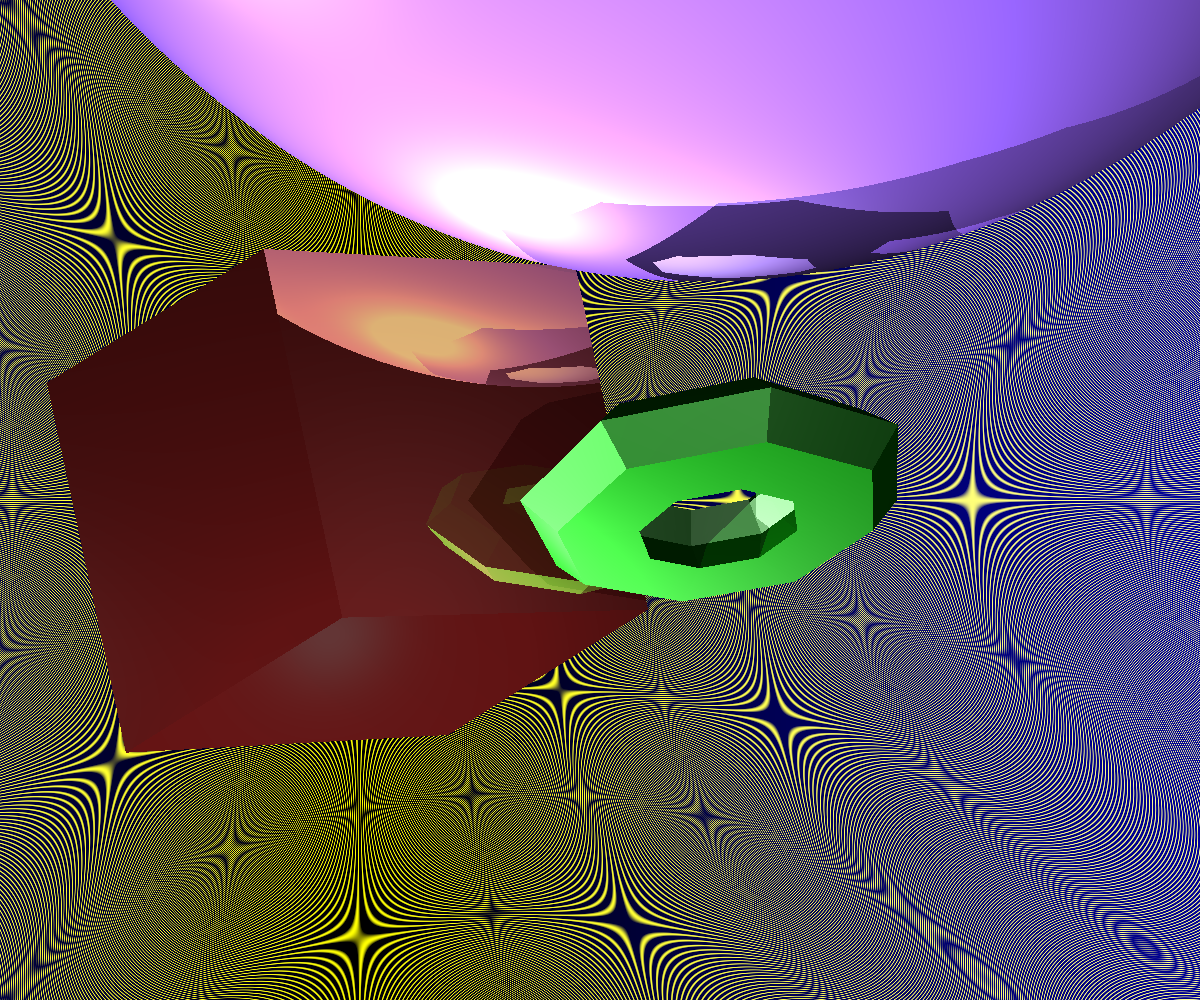
|
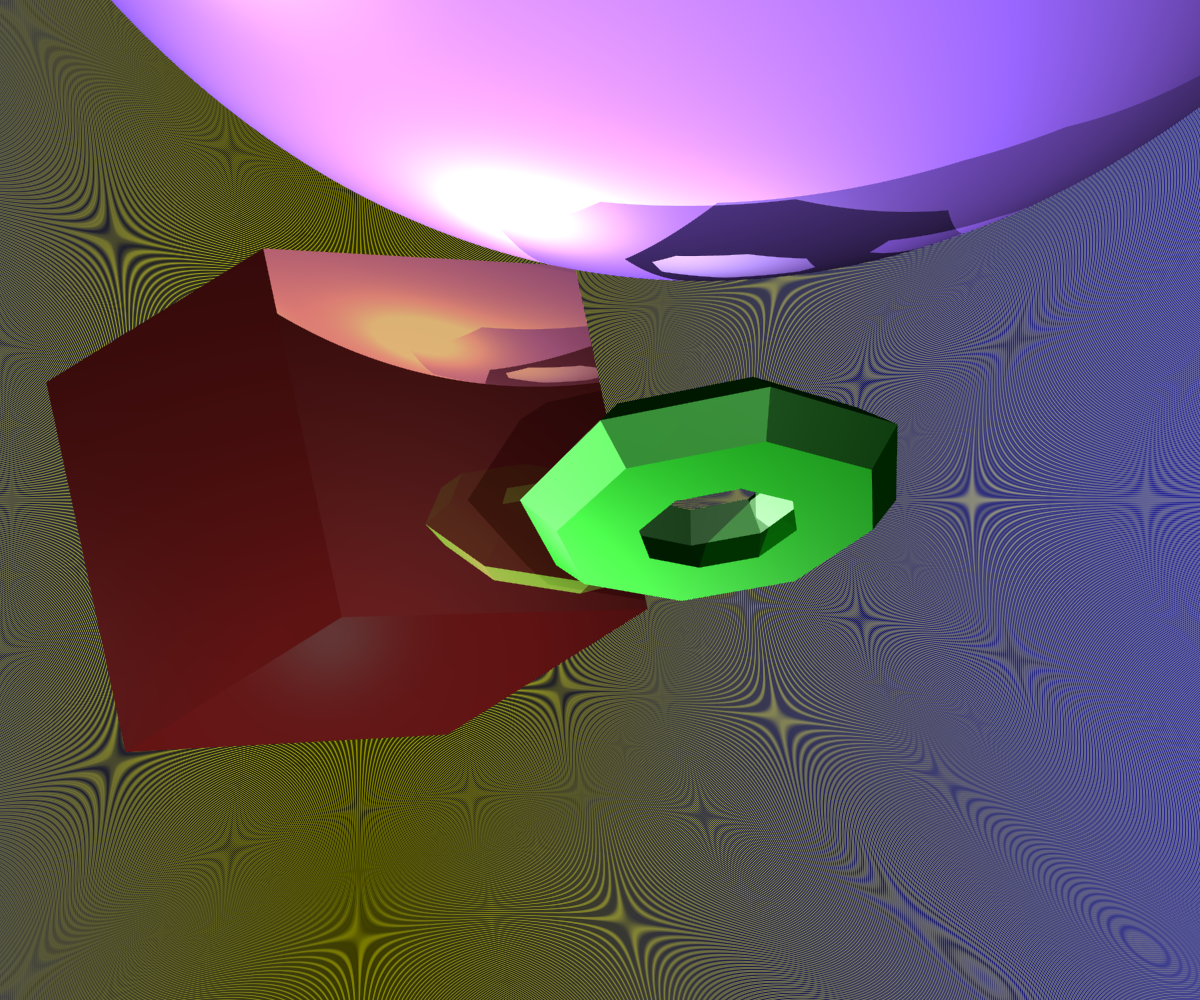
|
|
scene rendered without super-sampling
|
scene rendered with super-sampling
|
xml file used to create images
In the above scene we can see a marked difference in the appearance
of the two scenes. The background lines of the left scene are much
less smooth, and we can observe much greater alias effects.
The lines of the geometries, in addition, are smoother in the
super-sampled image.
The super-sampling is done by considering several samples (the
exact number is specified in the xml file) within the pixel.
My specific implementation roots the [0,0] of the pixel at the
centre (compared to for example the top-left corner), and then uses
a polar coordinate form to sample within the pixel.
That is, where i, j are the pixel coordinates in question, I consider
pixel co-ordinate i', j' where
i' = 0.5*Math.cos(theta)
j' = 0.5*Math.sin(theta)
and theta ranges over [0,2*PI].
However, we can still observe alias effects within the super-sampled
image, and to reduce these effects we further consider jittered rays
Using Jittering to Remove Alias effects